ChatGPT Now Lets You Claim Your Real Estate Business
Here's Why Real Estate Agents Should Take Action
You've worked to build your reputation, establish your presence on Google, and create a website that showcases your expertise. Now, as more consumers turn to AI for recommendations, there's another opportunity to make sure your real estate business is accurately represented.
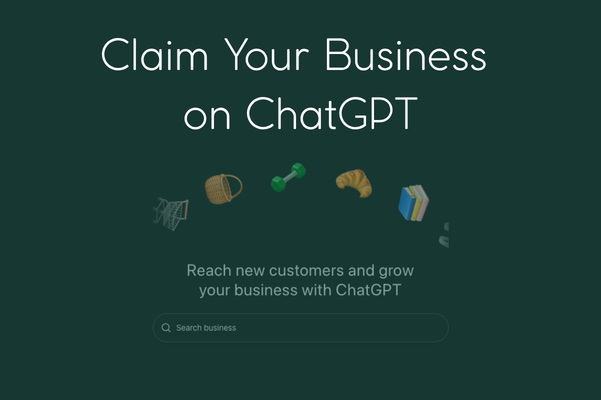
On November 10th, OpenAI introduced Businesses in ChatGPT, a new feature that allows eligible businesses to claim their listings, manage their information, and gain insights into how consumers interact with their business through AI.
Why Does This Matter?
Think about how consumers are changing the way they search.
Instead of Googling "real estate agents near me," someone might ask ChatGPT:
"Who's the best real estate agent in Bellevue for selling a waterfront home?"
"Which agents in Tacoma specialize in first-time homebuyers?"
"Who would you recommend to sell my luxury home in Kirkland?"
Consumers are moving from searching for businesses to asking AI to recommend them.
The challenge? ChatGPT relies on information from websites and other sources that may be outdated, incomplete, or missing the expertise that sets you apart.
OpenAI's new Business Hub begins to address that gap by allowing eligible businesses to claim and verify their listings, update business information, and access insights into how they're being represented.
Think of it as an emerging counterpart to your Google Business Profile, but for AI-powered search.
One important distinction: Claiming your business doesn't guarantee ChatGPT will recommend you more often. It provides an opportunity to ensure your business information is accurate and current.
How to Claim Your Business in ChatGPT
The process is straightforward, although the feature is currently in beta and availability varies.
Step 1: Sign In to ChatGPT
Visit chatgpt.com and sign in to your account. You don't need a paid Enterprise account or advertising account to claim an eligible business.
Step 2: Open Business Hub
Visit ChatGPT Business Hub or look for Business Hub in your ChatGPT sidebar.
Step 3: Find Your Business
Enter your name.
For real estate agents, I recommend using your professional name, consistent with your Google Business Profile, your Zillow agent profile other citations that mention you. Teams and brokerages should use their established business names.
Consistency across your digital presence matters. Using the same professional name across Google, ChatGPT, your website, social media, and other directories helps consumers and AI connect information about your business.
Avoid adding keywords or marketing phrases to your name. Instead, use your business description to highlight your expertise, specialties, and communities you serve.
Step 4: Verify & Claim Your Business
Choose one of the verification methods offered, such as business email, phone, or website domain. Follow the prompts and submit your claim.
OpenAI will review your information and email you once your claim is approved or if additional information is needed.
Step 5: Complete Additional Verification (Optional for Now)
Your business is claimed! However, if you want to update your business information, access insights, or receive a verified badge, OpenAI requires an additional identity verification through Persona.
You can complete this now or return to Business Hub later.
To get started, select Verify from your business overview and follow the prompts.
Step 6: Review & Update Your Business Information
Once your Persona verification is approved, you can update your business details, including your website, description, services, and available profile information.
Make sure your description clearly communicates who you serve, where you work, and what makes your expertise valuable.
OpenAI reviews submitted changes before publishing them.
Step 7: Explore Your Insights
After Persona verification is approved, use Business Hub to explore available data about business mentions, website clicks, and the topics associated with your business in ChatGPT.
Keep in mind that new listings or businesses with limited activity may not have insights available immediately.
What If You Can't Find Your Business?
The feature is new, and not every business is eligible yet. Some businesses can only claim existing listings, and not everyone will see Business Hub immediately.
For real estate agents operating under a brokerage, be sure you're authorized to claim the specific business listing. Brokerage and individual-agent listings may be handled differently.
The Bigger Picture
This isn't about adding another marketing task to your already full plate. It's about recognizing that the way consumers research and evaluate real estate professionals is evolving.
Just as your Google Business Profile and website have become essential parts of your online presence, your business information in AI platforms deserves attention, too.
My recommendation? Check whether your business is eligible to be claimed, verify your information, and make sure your expertise and services are accurately represented.
Get Started with ChatGPT Business Hub
Note: Businesses in ChatGPT launched in beta on November 10, 2026. Eligibility, features, and naming requirements may change as OpenAI expands access.