

Onboarding Claude AI
I want to talk to you about something that completely changed how I work, and I think it's going to do the same for you.
If you're a real estate agent, I already know what your days look like. You're writing follow-up emails at 10 pm. You're trying to remember which lead said they wanted a pool. You're staring at a blank screen trying to make a three-bedroom ranch sound like the most exciting listing on the market while your phone is ringing and you have two showings in an hour.
The admin work is relentless. And it's not why you got into this business.
So let me introduce you to Claude AI and, more importantly, let me show you how to set Claude up the right way. Not as a tool you use occasionally. As a teammate, you've actually onboarded into your business.
That distinction matters more than you might think. Stick with me.
First - What Is Claude AI, and Why Should You Care?
Claude is an AI assistant made by Anthropic. You can access it at claude.ai on your phone, tablet, or computer. It's free to start, and signing up takes about two minutes.
Think of Claude like this: imagine you just hired the smartest, most capable assistant you've ever worked with. Someone who can write beautifully, organize anything, research in seconds, and communicate on your behalf. Someone available 24 hours a day, never has an off day, and genuinely wants to help you succeed.
That's Claude. And just like any great assistant, the key to getting the most out of Claude is onboarding them properly.
The Mistake Most People Make With AI (And How to Avoid It)
Most people use AI like a vending machine. They walk up, punch in a request, grab what comes out, and walk away. And they get okay results, but nothing that really feels like theirs.
The agents who are genuinely transforming their businesses with AI are doing something different. They're treating it like a new team member. They're taking the time to say: here's who I am, here's how I work, here's what my clients are like, here's my voice, here's what I need from you every day.
When you do that, when you actually onboard Claude into your business, everything changes. The emails sound like you. The listing descriptions feel like your brand. The lead lists are organized exactly the way your brain works.
So that's what we're going to do right now. We're going to onboard Claude together.
Step One: The Onboarding Conversation
The first thing I want you to do is open Claude at claude.ai and start a new conversation. Then I want you to introduce yourself.
Yes, really. Introduce yourself like you would to a new assistant on their first day. Here's a template to get you started. Make it your own:
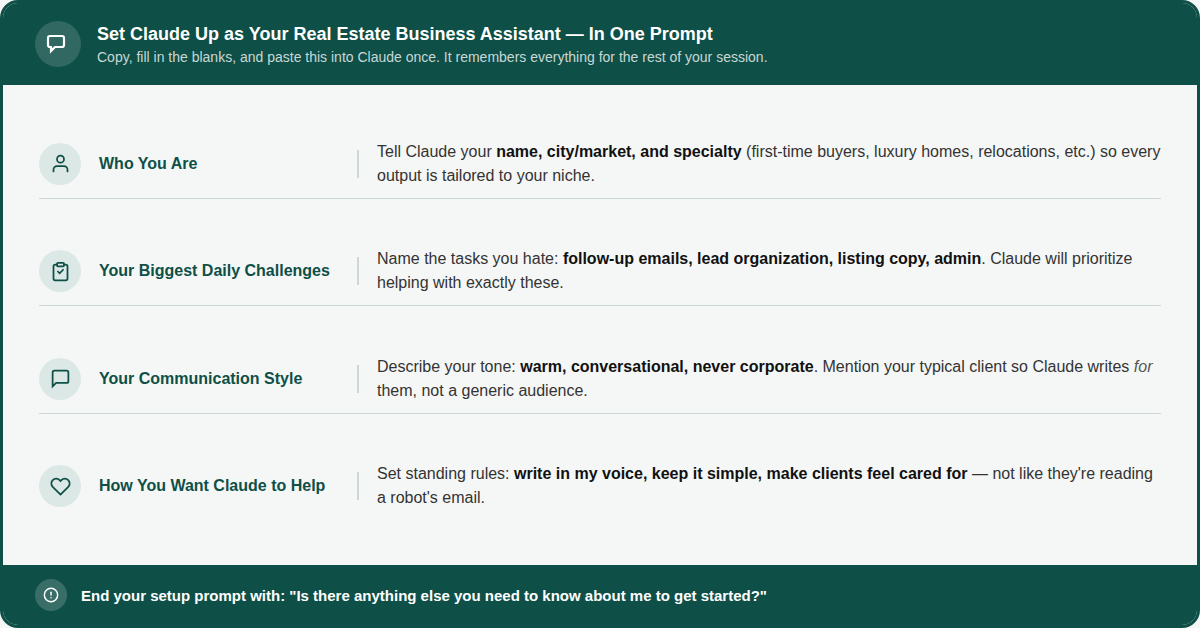
Save this in your phone notes. Every time you start a new conversation with Claude, paste this in first. That way, Claude always knows who you are and how to help you without you having to explain yourself from scratch every single time.
That's your foundation. Now let's put Claude to work.
Step Two: Handing Off the Four Tasks That Are Draining You
Once Claude knows your business, giving it tasks is as simple as talking to a colleague. Here's how to hand off the four biggest time-drains in your day:
1. Client Communications and Follow-Ups
You know that feeling when you've had a long day of showings, and you still have six follow-up emails to write? Hand that to Claude.
After your onboarding message, just say something like:
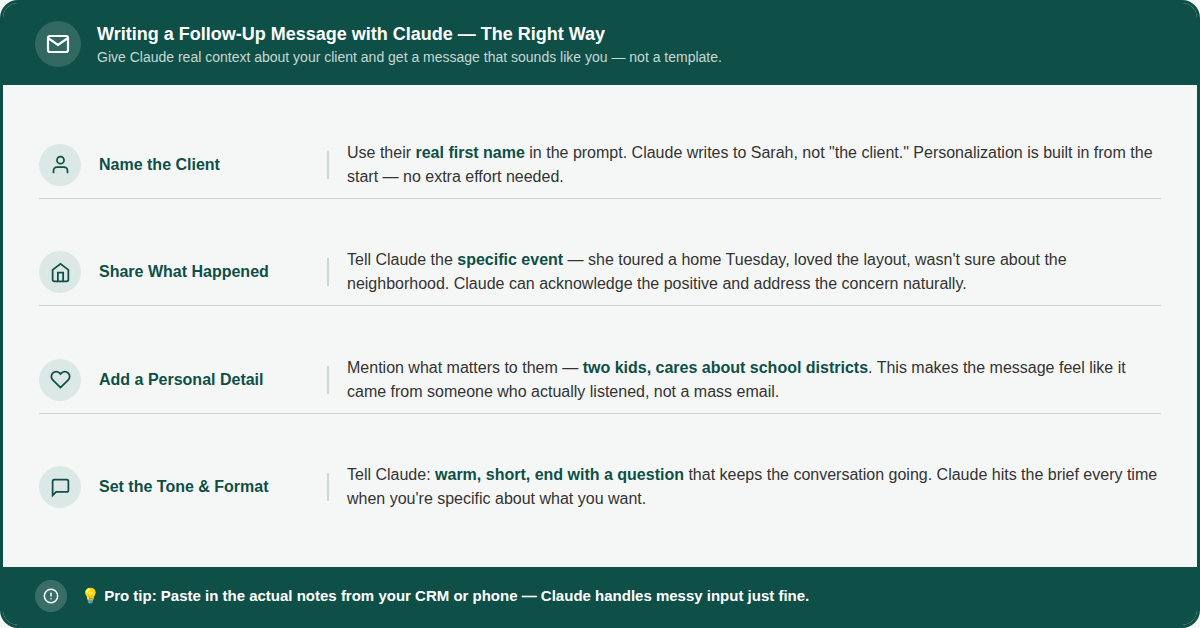
Claude will write you a message that sounds like you, not like a template. You can copy it straight into a text or email, or tweak it in thirty seconds. Either way, you just saved yourself fifteen minutes of staring at a blank screen.
The habit to build: Every evening, batch your follow-ups. Give Claude two or three client situations at once and have everything drafted before you even sit down for dinner.
2. Organizing and Prioritizing Your Leads
Leads come in from everywhere: open houses, referrals, social media, your website. Keeping track of who needs what and when is genuinely exhausting. Let Claude do it.
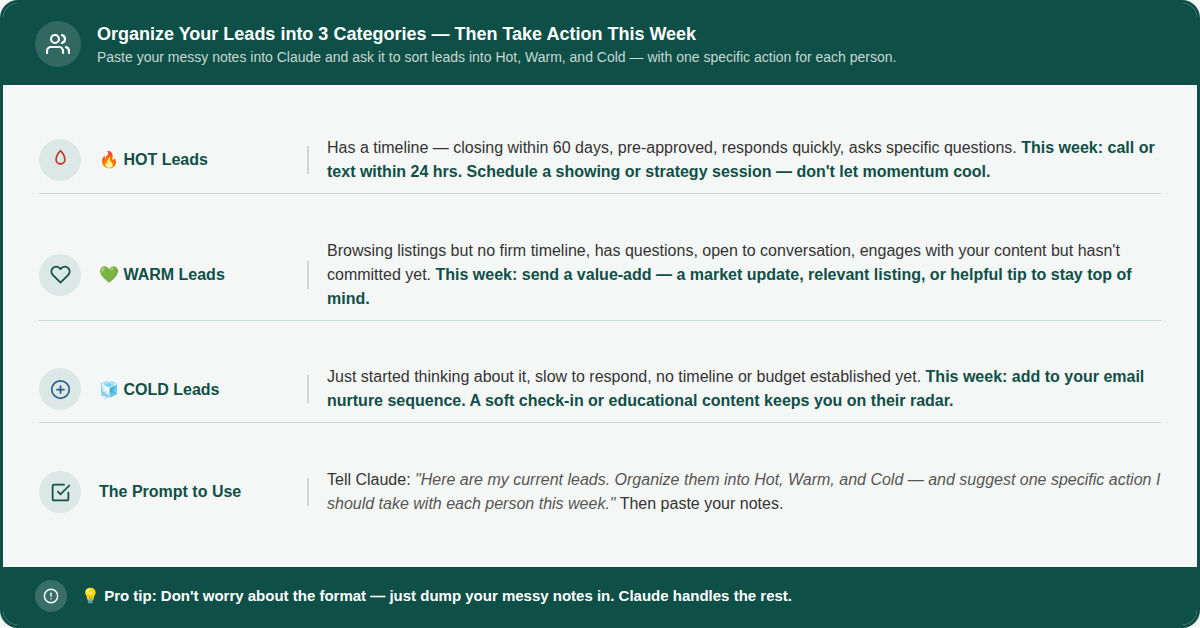
Even if your notes are a mess half-sentences, random details, names with no context, Claude will make sense of them and hand you back a clean, actionable list.
The habit to build: Do this every Monday morning. Five minutes of updating your notes, paste them into Claude, and you start every week knowing exactly who to call first.
3. Listing Descriptions and Marketing Content
Writing listing descriptions, social captions, and email blasts for every new property takes hours you don't have. Here's how to get all three in under five minutes:
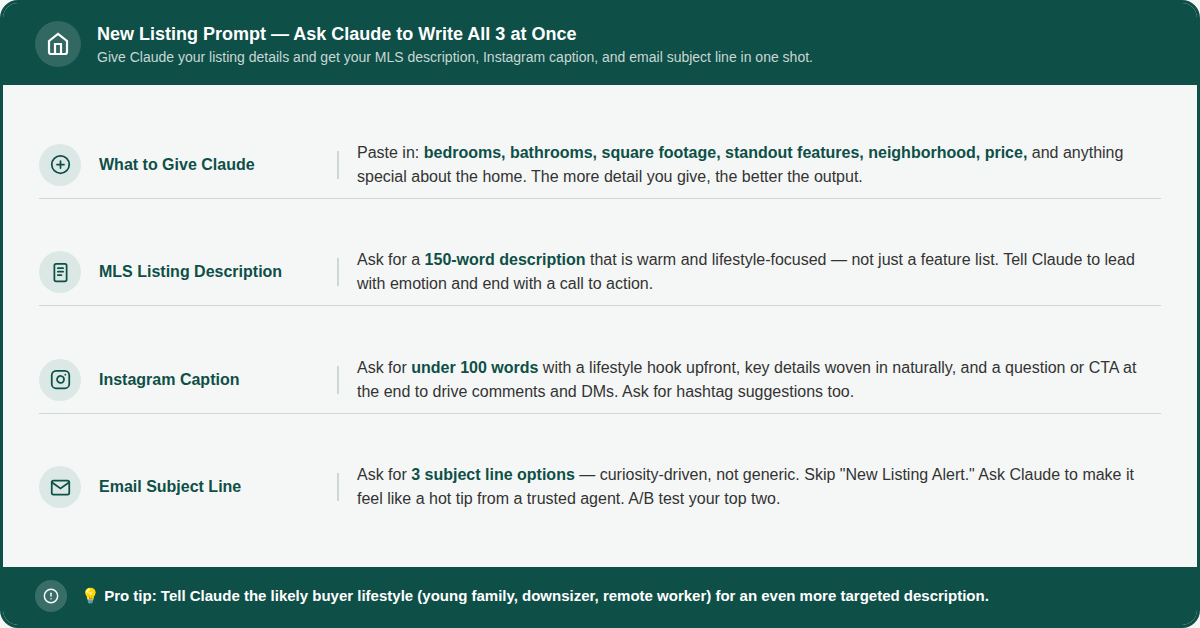
Three pieces of content, ready to go, in the time it would have taken you to write one paragraph on your own.
The habit to build: Make this the first thing you do when a new listing hits your desk. Marketing handled before your coffee goes cold.
4. Transaction Checklists and Admin Tasks
The paperwork, the coordination, the reminders, this is the stuff that keeps agents up at night. Claude can build you airtight systems so nothing ever falls through the cracks.
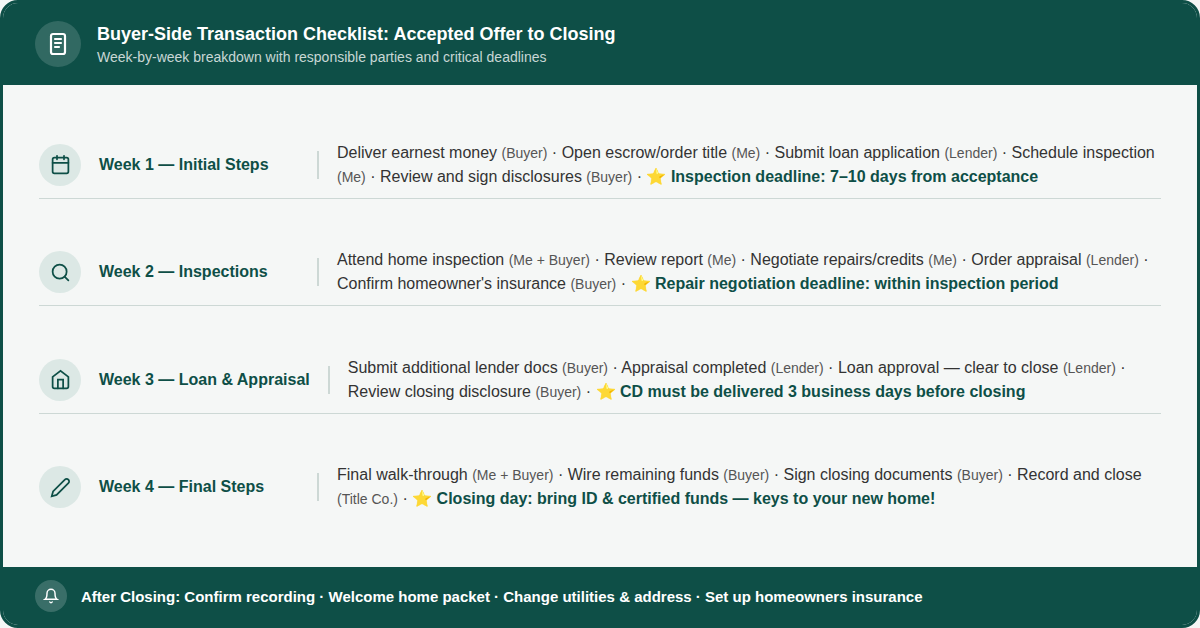
Save what Claude gives you. Customize it to match how your deals work. Then reuse it on every single transaction going forward. You've just built a system in one conversation.
The habit to build: Ask Claude to create separate checklists for buyers, sellers, and rentals. Three conversations, three reusable systems, zero more dropped balls.
Step Three: Keep Your Teammate Updated
Here's the thing about Claude: it doesn't automatically remember past conversations unless you tell it. So, whenever something changes in your business, update your onboarding message.
Moving into a new niche? Add it. Shifting your focus to a new neighborhood or price range? Add it. Going through a rebranding? Update your tone description. The more current your onboarding prompt, the more effective Claude becomes.
Think of it exactly like onboarding a real team member, you wouldn't expect someone to do their best work without knowing what's changed in the business. The same principle applies here.
You Don't Need to Be Tech-Savvy. You Just Need to Start.
I know AI can feel overwhelming. There's so much noise out there about what it can and can't do, and it's easy to feel like you're already behind.
But I want you to hear this: if you can send a text message, you can use Claude. The hardest part is just starting, and I've already given you everything you need to do that today.
Here's your action plan for this week:
Today: Sign up at claude.ai. It's free.
Tomorrow: Write your onboarding prompt and save it to your phone notes.
This week: Use Claude for one real task each day, a follow-up, a lead list, a listing description, a checklist.
By Friday: You'll have four working systems and a teammate who knows your business.
That's it. No tech degree required. Just a little time upfront for a whole lot of time back every single day.
Up Next: In Part 2, I'm going to show you how Claude can help you find and generate leads even while you're out in the field or sound asleep. We're talking about building your pipeline on autopilot. You won't want to miss it.